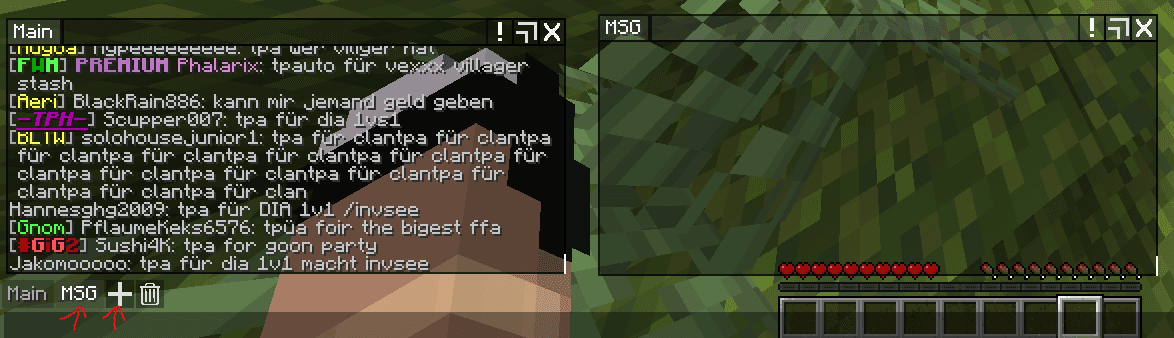
Set up a separate chat window for /msg
This guide shows you how to create a separate chat window for private messages so price alerts don't get lost in normal chat. You need the Advanced Chat HUD Reboot mod from Modrinth. The easiest way is to use the NoRisk Client, which already includes Mod Menu.
Install the mod
Install Advanced Chat HUD Reboot from Modrinth. Recommended: Use the NoRisk Client, which already includes Mod Menu.
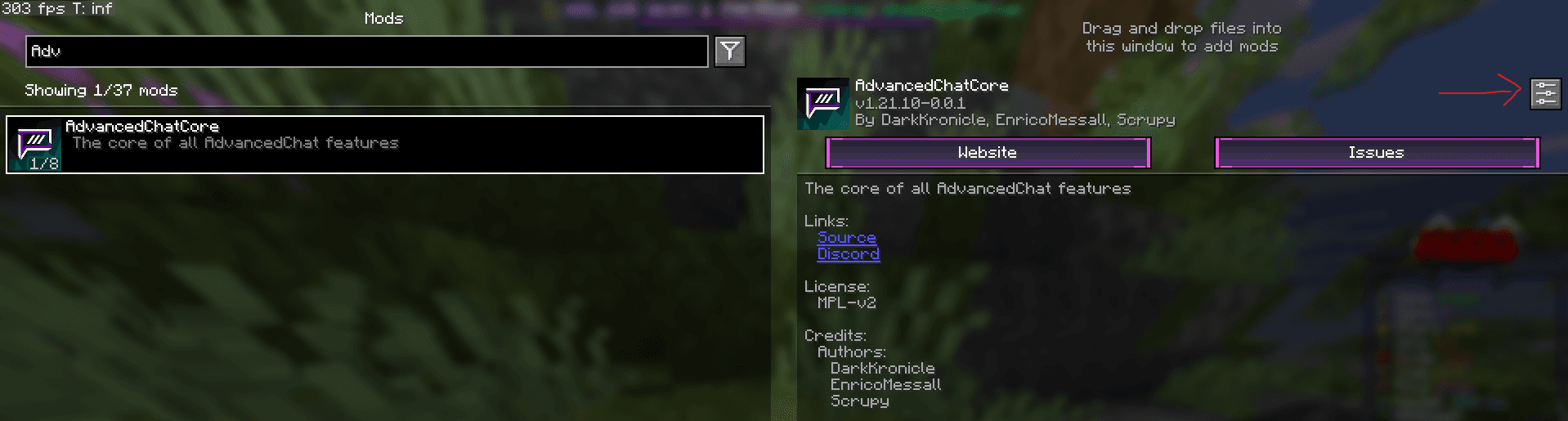
Open AdvancedChatCore settings
Open Mod Menu and navigate to the AdvancedChatCore settings.
Create new chat tab
Go to HUD → Chat Tabs and click 'New Chat Tab' to create a new tab. Then click 'Configure' on the newly created 'Boring Chat Tab'.


Basic settings
Configure the basic settings for the new tab as shown in the image.
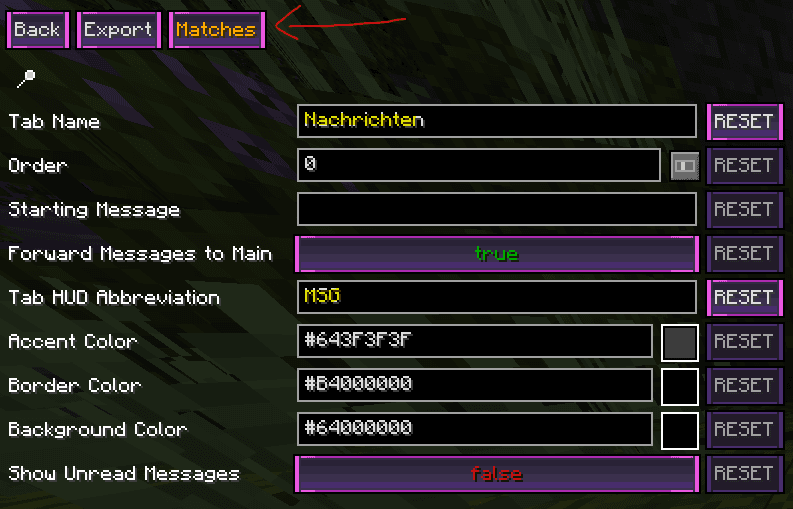
Configure matches
Set up the matches setting so only /msg messages are displayed in this tab.

Verify configuration
Check if the match setting has been applied correctly.

Activate MSG window
Press the plus symbol in the chat, select MSG and customize the MSG window to your liking. Now all /msg messages will be displayed in this separate window!